
If you’ve been using Prowler to search for articles, you will find that the next time you select “Articles” from the drop-down menu in the search box on the Dal Libraries’ home page, the discovery tool has been updated to World Cat Local. The page that you’re used to seeing:
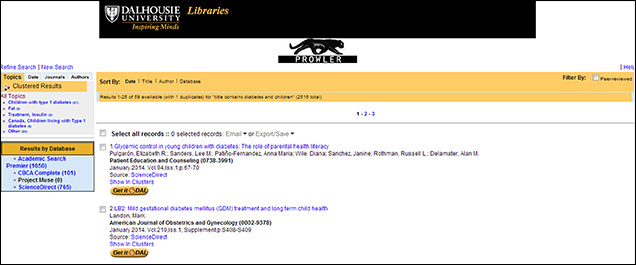
Click to enlarge
will now look like this:
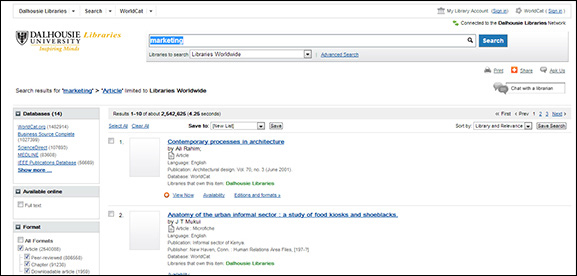
Click to enlarge
You might notice that occasionally book chapters will appear in the results with the articles. This is because when you use this tool to search for articles, the results are very broad, to match the large diversity of information available, instead of being as specific as possible to match your precise needs.
What is searched when you select “Articles”?
When you select “Articles” from the drop-down menu, these are the resources that are searched:
– Academic Search Premier
– Art Index
– BioMed Central
– Business Source Complete
– Humanities Index
– IEEE Publications Database
– Institute of Physics eJournals and Archive
– LegalTrac
– MEDLINE
– MLA International Bibliography
– Political Science Complete
– PsycARTICLES
– ScienceDirect
– WorldCat.org
Please note that this is not a comprehensive list of resources that Dalhousie Libraries has access to.
This list may change based on usage statistics and general performance of the searches. For those using the “Articles” tab, we are trying to provide as fast a search as possible on as many resources as possible without making you wait too long to see results.
Search Options
The “Articles” tab is useful because it does a broad, fast search, and the results are drawn from many disciplines. For more specific results, it is better to go to the right database for your needs. The best thing you can do is to talk to a Dalhousie librarian today about how you can search smarter to meet your needs. Go to any service point or use the Live Help chat feature at libraries.dal.ca to talk with a librarian about your research.